
Local by default
Projects, scans, photos, and notes begin in the app’s local workspace. An optional account can support purchases and selected sync features without making sign-in a requirement for field work.
MeasuredSite helps field teams capture rooms, verify dimensions, organize photos, inventory, and issues, then continue office review from a secure web workspace.
Use MeasuredSite wherever a room plan, verified dimensions, photos, inventory, issues, and a clear export need to stay connected from capture through handoff.
Projects, scans, photos, and notes begin in the app’s local workspace. An optional account can support purchases and selected sync features without making sign-in a requirement for field work.
RoomPlan can accelerate capture on supported devices, while clear status and correction tools keep estimates distinct from verified field measurements.
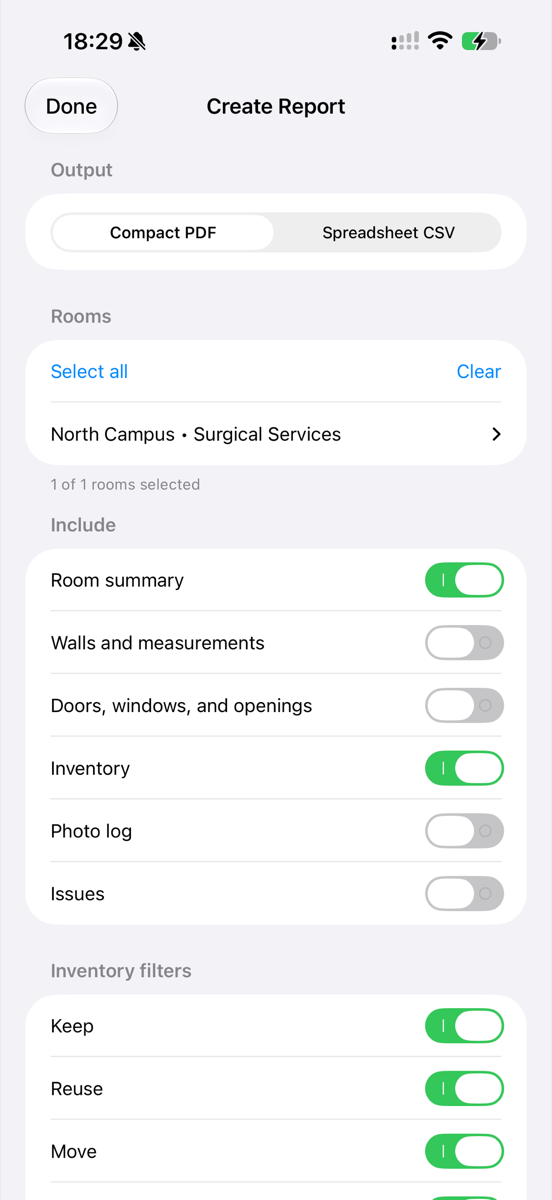
Create PDF, spreadsheet, portable archive, and project report exports when you decide to save or share your work.
Use the same signed-in account to keep supported project records connected across iPhone, iPad, and the secure web workspace.
Capture, LiDAR, drawing, Pencil, and offline-first documentation stay where they work best: on iPhone and iPad.
Review and update synchronized project records, drawings, photos, issues, and office-ready details from a browser.
Open web workspace →Export a MeasuredSite archive for controlled backup, transfer, or import when an account sync path is not available.
Keep the floor plan, supporting details, and verification status connected throughout the job.
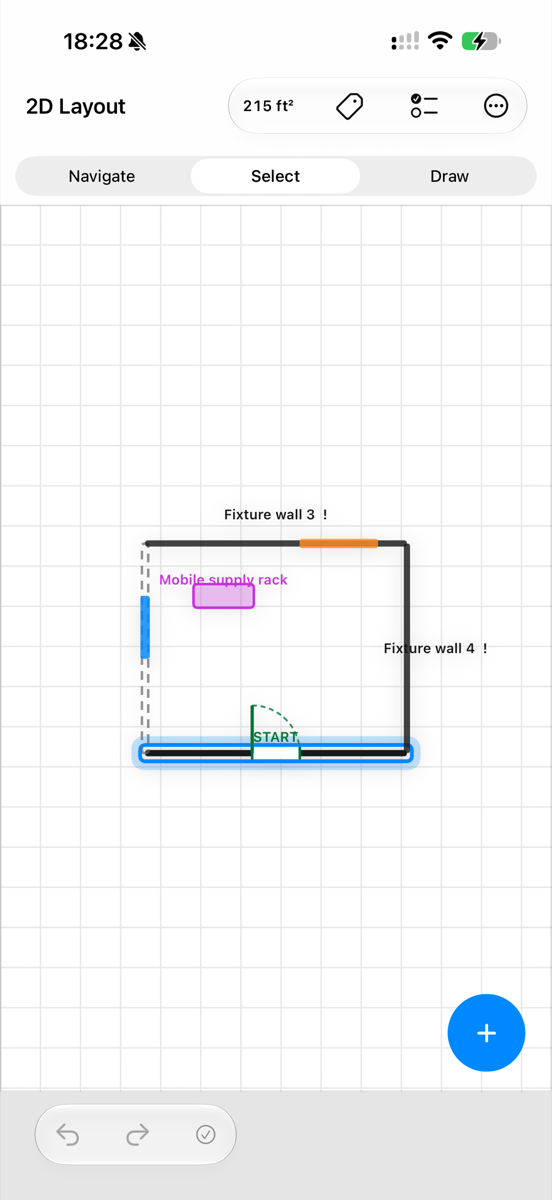
Start with RoomPlan on a supported LiDAR device or build an editable 2D layout manually.
Correct critical dimensions in the field and keep verified values visually distinct.
Add photos, inventory, and issues, then choose what to include in the handoff.
These images come from the current MeasuredSite build and show its layout, reporting, and inventory workflows.

MeasuredSite currently supports iPhone and iPad running iOS or iPadOS 17 or later. RoomPlan capture requires a supported device with LiDAR. Manual layouts and documentation remain available on other supported devices.
MeasuredSite is being prepared for release on iPhone and iPad. The official App Store link will appear here after the listing is live.
Core field work remains available without signing in. When you choose account, subscription, sync, or preview AI features, MeasuredSite explains the network service involved and keeps project sharing deliberate.